![azami_logo (1).svg]](https://help.azamiglobal.com/hubfs/azami_logo%20(1).svg)
1. Go to your Agents List to view your agents.

2. Find your favorite agent in the Agents List, and click the  icon to view the actions. Select 'Mark As Favorite".

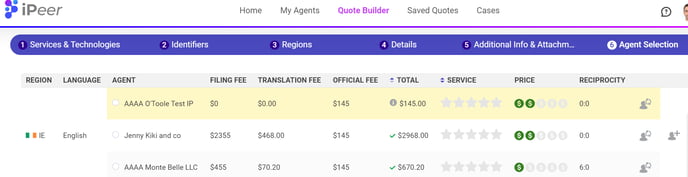
3. Your chosen favorite agent will be highlighted in yellow. 
4. Your favorite agents will show up first on the agent selection screen in the Quote Builder:
5. You can always unmark a firm as a favorite by following the same steps:
