![azami_logo (1).svg]](https://help.azamiglobal.com/hubfs/azami_logo%20(1).svg)
To view or add to your list of agents, click the My Agents link in the top navigation bar. Click Create Agent to add an agent to your profile.

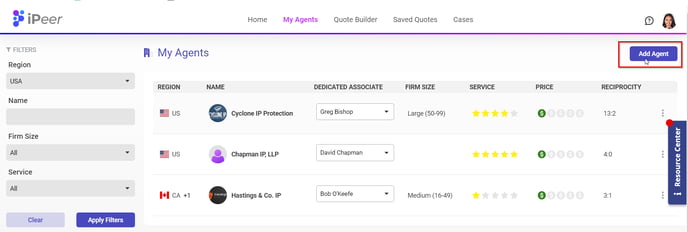
To view or add to your list of agents, click the My Agents link in the top navigation bar. Click Create Agent to add an agent to your profile.
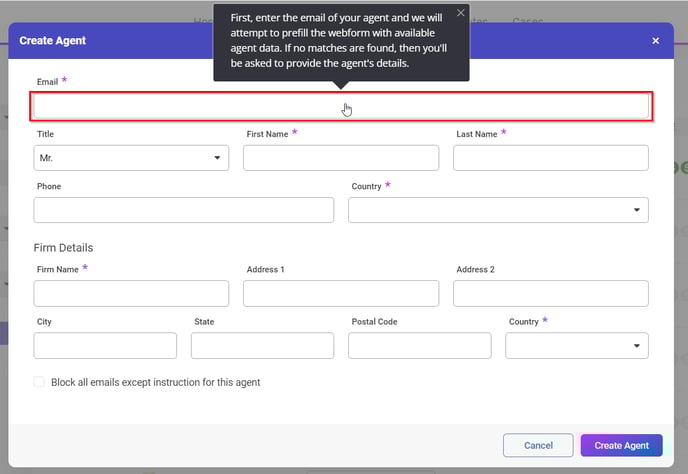
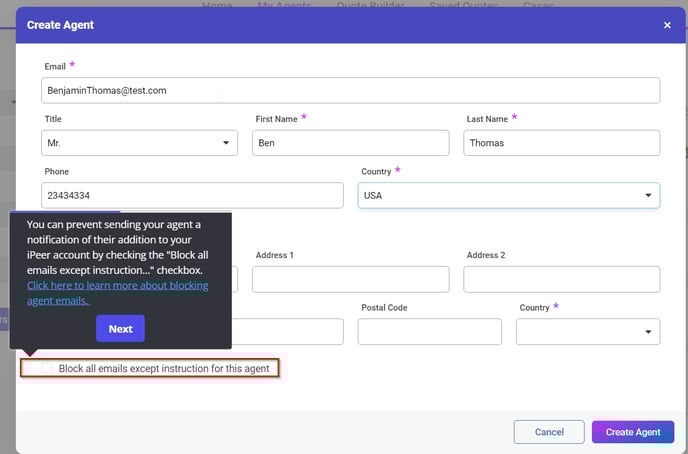
Enter the email of your agent first, and we will attempt to prefill the webform with agent data. Once the form is complete, click Create Agent. This action will add the agent to your profile, as well as send an email to your agent notifying them that you added them to iPeer.
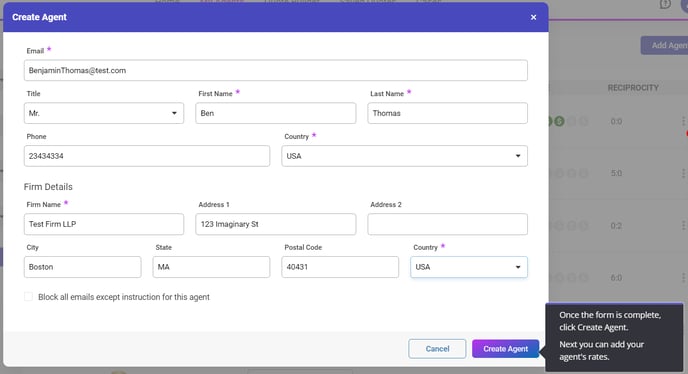 Next, your new agent’s profile will open to let you enter the agent’s rates. You can come back to this screen at any time to update rates. Both client and agent will be notified every time a relevant rate is updated.
Click here to learn how to enter your agent's rates.